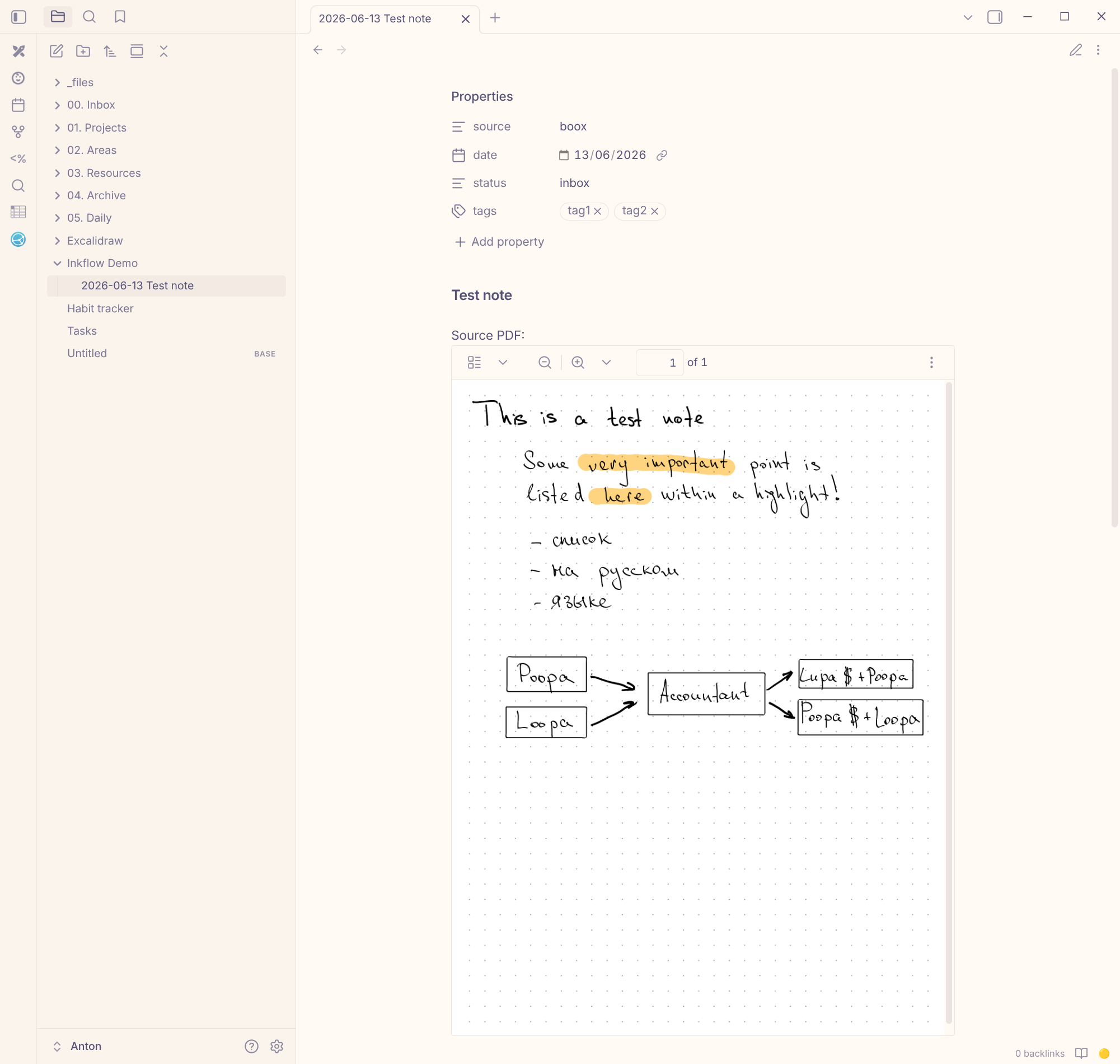
For a little over a year I’ve been keeping my work notes on a BOOX e-reader — meetings, rough drafts of decisions, stray thoughts during the day. Writing by hand on e-ink is convenient and doesn’t pull me out of the flow, but the notes stay locked inside the device. I wanted them to land in Obsidian on their own and be searchable: six months later it’s handy to just search for why we made some decision, instead of flipping through a stack of handwritten pages.
What I wanted
- Create a note on the device — and it ends up in the right Obsidian folder by itself.
- Minimal manual work, no “export → copy over → file away”.
- Full-text search, which means the handwriting has to be recognized too.
Attempt one: the built-in tools
BOOX can sync notes to the cloud, including a self-hosted Nextcloud. I set up the sync, but then the files still had to be shuffled into the right folders somehow — it turned into a clunky chain.
The second option was Syncthing plus scripts that react to new files. It came out complex and fragile, with a lot of moving parts. On top of that Syncthing drained the battery, sitting in the background all the time. In both cases there was too much friction between the tool and actually getting value out of it.
Attempt two: WebDAV as transport
After thinking about what the ideal solution would look like, I landed on a very simple one. The device already knows how to “send notes to the cloud” over the WebDAV protocol. Instead of hooking in somewhere after the cloud, I can pretend to be the cloud: stand up my own WebDAV server. The device thinks it’s uploading a PDF to storage, while in reality the file goes straight to my own handler. The protocol becomes just a transport, all the logic lives on my side, and on the device everything stays stock — no third-party apps.
To figure out what exactly the device sends, I first put up a stub that did nothing but log incoming requests. It turned out the whole thing boils down to two actions: look inside a folder and upload a file. After that all that was left was the real implementation — inkflow. It takes the PDF and files it into the vault: the file lands in the right Obsidian folder, and a markdown note is created next to it from a template. I set the date and tags right on the device when creating the note, and inkflow picks them up from the file name.
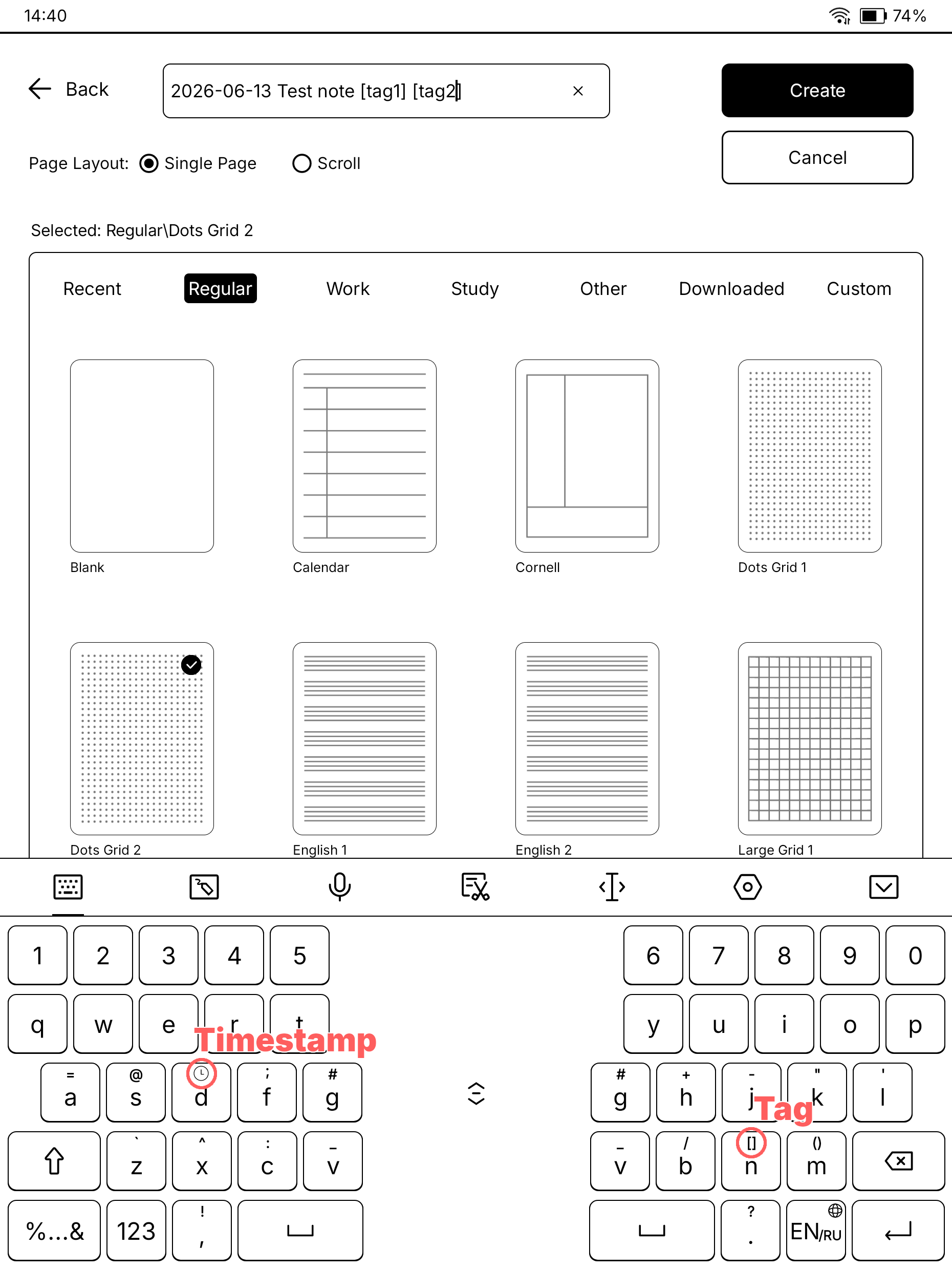
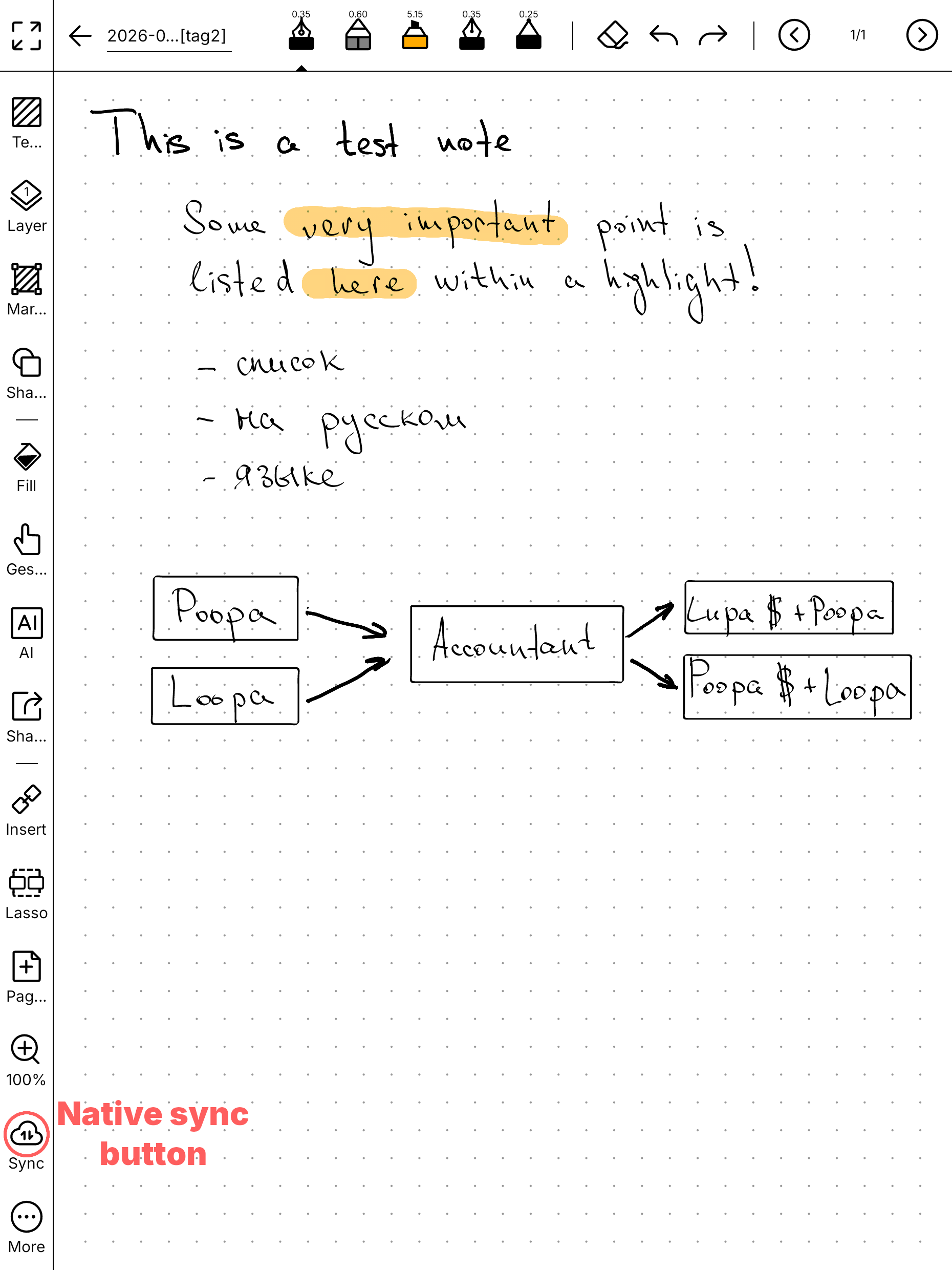
It worked: notes filed themselves where they belonged, with the PDF alongside. The only thing missing was search.
Attempt three: text recognition
To search across the notes, the handwriting has to be recognized.
Classic OCR (Tesseract and friends) does poorly with handwriting, and with Russian handwriting — not at all. Local LLMs via Ollama didn’t pan out either: low accuracy, and way too much time per page.
Online LLMs, on the other hand, solve the task beautifully. I settled on Gemini — the API limits are generous, the free tier should even be enough. inkflow just sends it the PDF and gets the recognized text back.
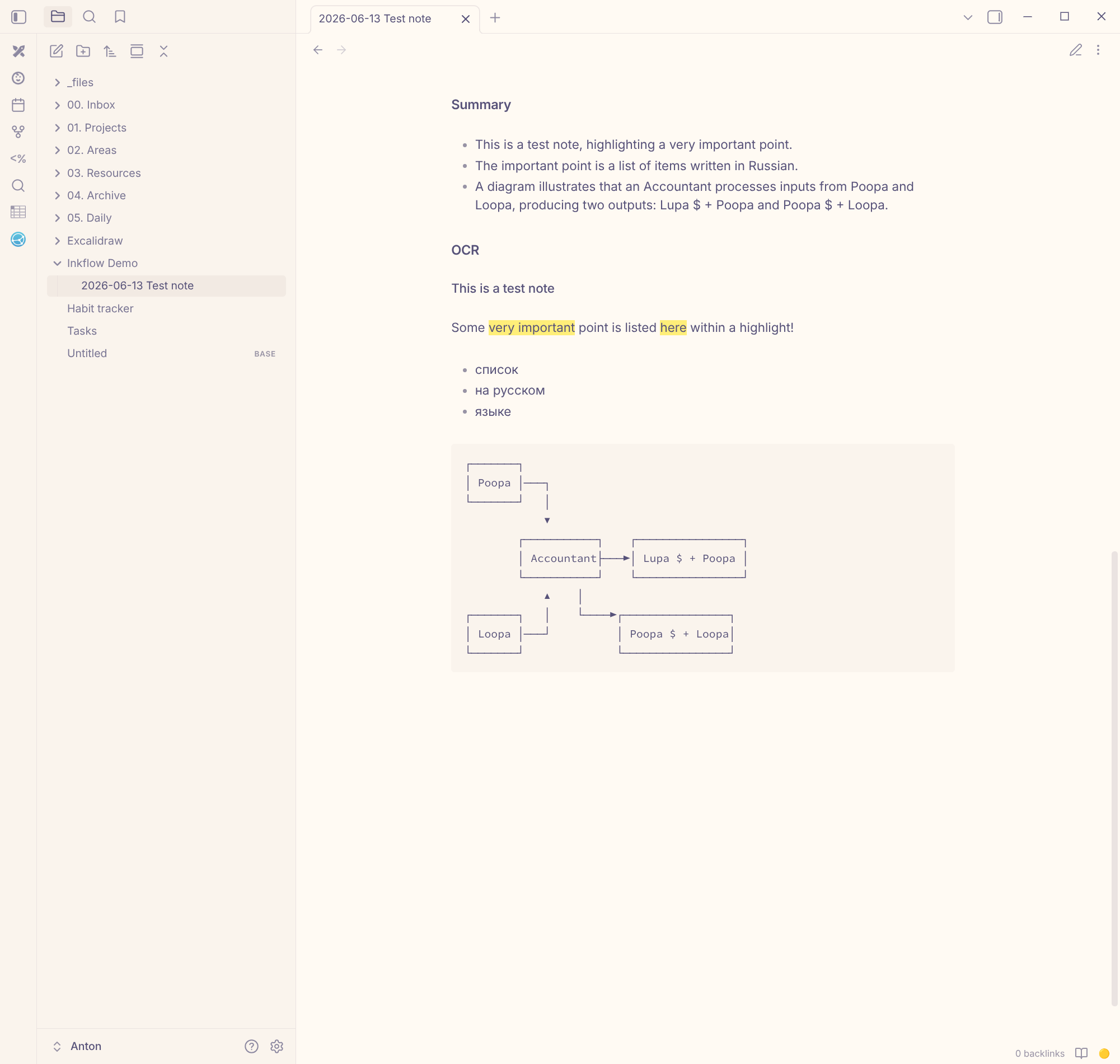
And an LLM does more than OCR. Classic recognition would hand back a wall of text, while the model understands the structure of the page and carries it over into markdown: text I highlighted with a marker gets wrapped in ==…==, anything I boxed in becomes bold, hand-drawn checkboxes turn into - [ ]. On top of that, a short summary of the key points.
In Obsidian the original PDF and the recognized note sit side by side (it didn’t fit on a single screenshot):
Privacy
One caveat: data sent through Gemini’s free tier may be used by Google for training. That’s a no-go for work notes. The paid API solves it — there your data isn’t used for training — and it costs pennies: at 5–10 pages a day it comes out to under half a euro a month. That’s cheaper and better than maintaining local recognition, which worked worse anyway.
Takeaway
It’s not pleasant to admit, but self-hosting sometimes ends up more expensive — in setup and maintenance time, and in quality — than an off-the-shelf third-party service.
I went the full circle: cloud sync, Syncthing with scripts, local OCR, local LLMs. The hybrid worked best: my own little layer exactly where it buys control and native UX, and a paid third-party service where it’s objectively better and costs next to nothing.
And keeping notes is just plain useful. It’s gotten noticeably easier not to lose the context behind decisions when the thing you need is one search away.
Code: pltanton/inkflow.